
Layout: Call out heading
A layout that adds a coloured SVG and eye-catching heading on the left with rich text content on the right
Category: Waterlogic Heros.
Content Blocks Documentation: https://docs.modmore.com/en/ContentBlocks/v1.x/Layouts.html
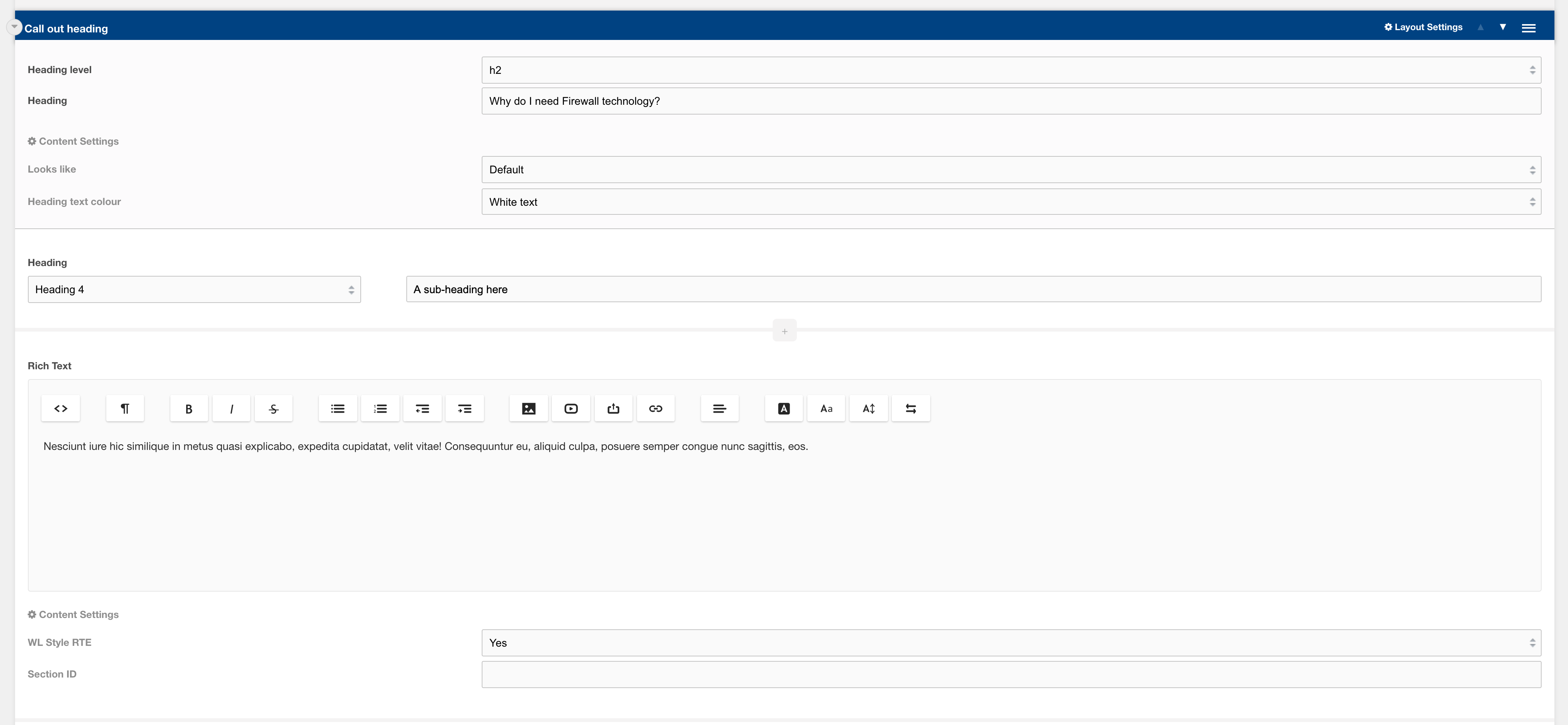
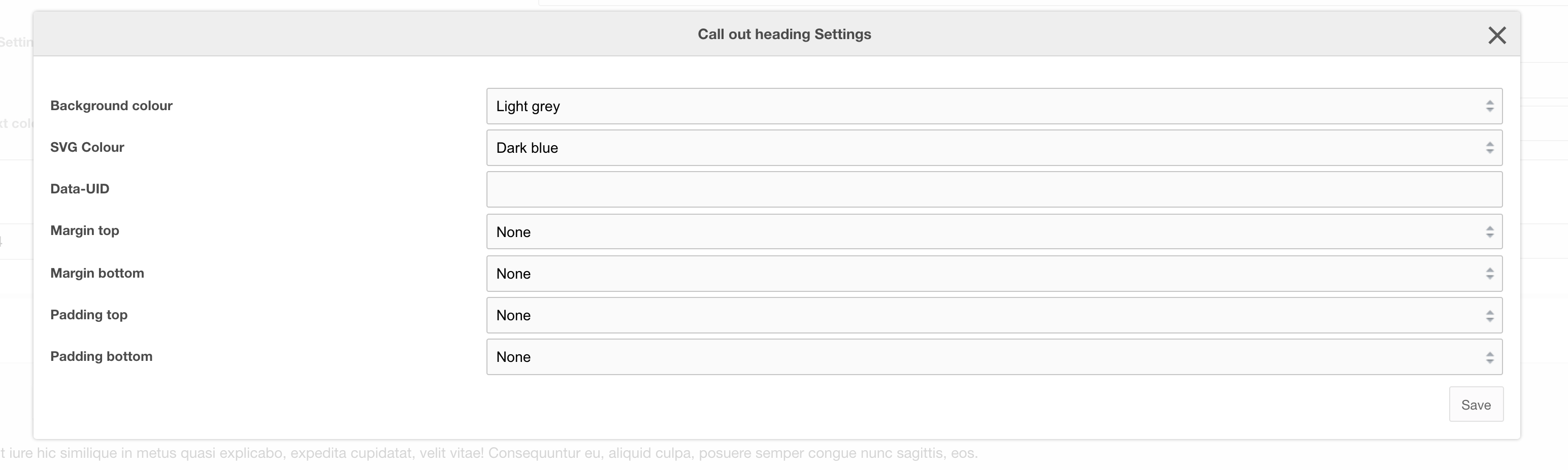
Settings are available by hovering over the field and clicking the cog in the top right
Options
| Setting | Description | Default |
| Heading level | Heading level of heading text | h1-h5 | h2 |
| Heading | Text that will reside in the SVG as a heading |
Settings
| Setting | Description | Default |
| Looks like | Adjust the size of the heading level | Default |
| Heading text colour | Text colour of the heading text In the SVG | White text |
| Background Colour | Background colour of the layout | Transparent |
| SVG Colour | Colour of the SVG | Dark Blue |
| Data-UID | A unique ID of the container for skip to links | |
| Padding top | Section padding-top - Use if you have background colour set | |
| Padding bottom | Section padding-bottom - Use if you have background colour set | |
| Margin top | Add margin to the top of the container for vertical alignment adjust | |
| Margin bottom | Add margin to the bottom of the container for vertical alignment adjust |