
Field: Landing page navigation
Navigation block for landing pages
Category: Sections
This field is to be used with the Landing page Modx Template and should only be used for landing pages. The field adds a navigation bar to the Landing page template with repeated fields for adding skip links. Enter the IDs of the content block section DATA-UIDs to skip to.
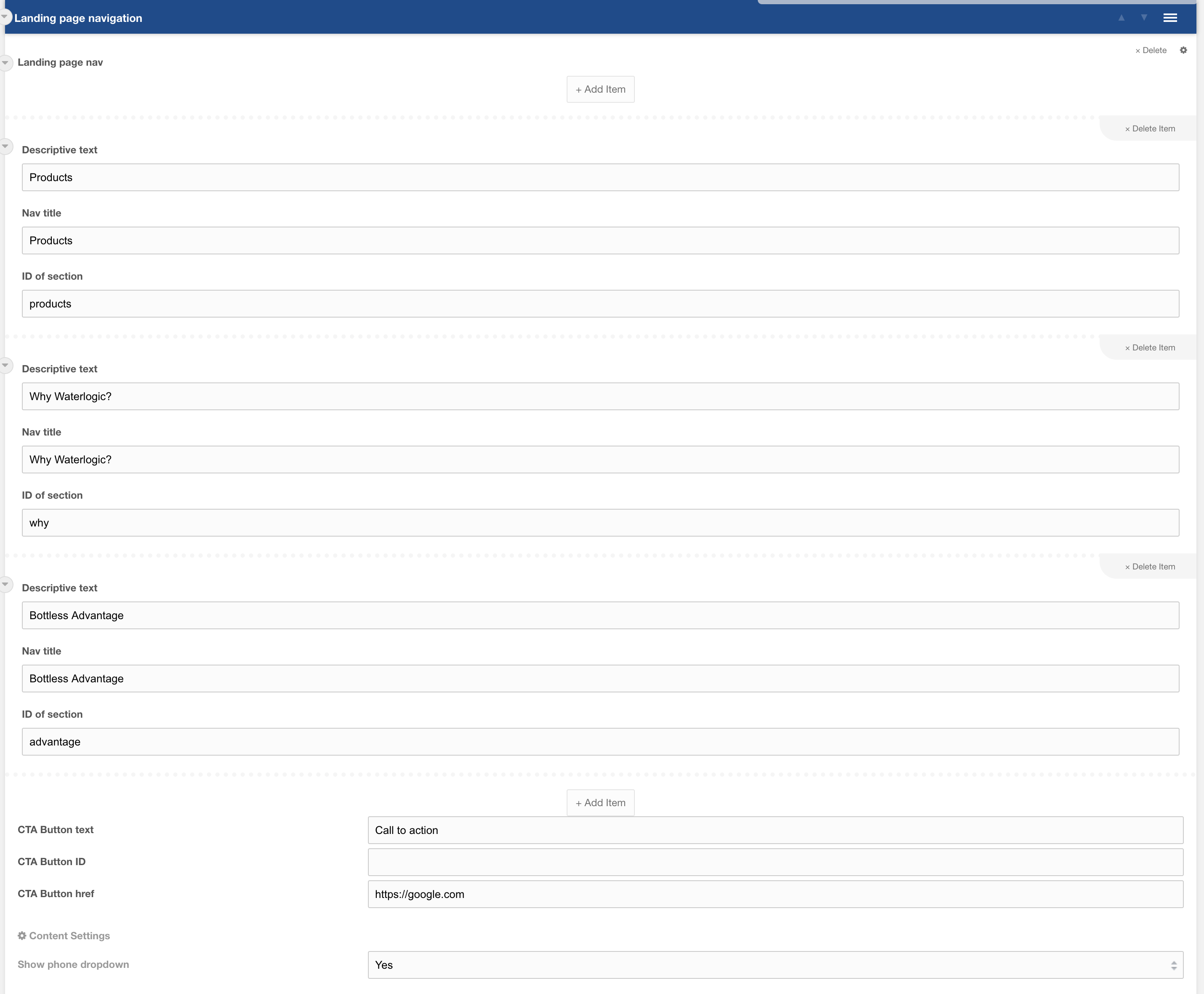
Figure 1

Figure 2
Repeater options
| Setting | Description | Default |
| Landing page nav | A repeater field with additional fields for adding navigation items | |
| Descriptive text | A short description of this navigation title for us with mobile navigation | |
| Nav title | Title of the item link | |
| ID of section | ID of the DATA-UID to skip to when the link is clicked |
Additional options
| Setting | Description | Default |
| CTA Button text | Text for the call to action button (if left empty button will be hidden) | |
| CTA Button ID | ID of the resource to link to (optional) | |
| CTA BUtton Href | An external URL for this button to link to (optional) |
Section settings
| Setting | Description | Default |
| Show phone dropdown | Show a phone dropdown with context-specific phone numbers |