
Layout: Banner SVG Cutout Overlap
A single column that by default is 100%
Category: Default.
Content Blocks Documentation: https://docs.modmore.com/en/ContentBlocks/v1.x/Layouts.html
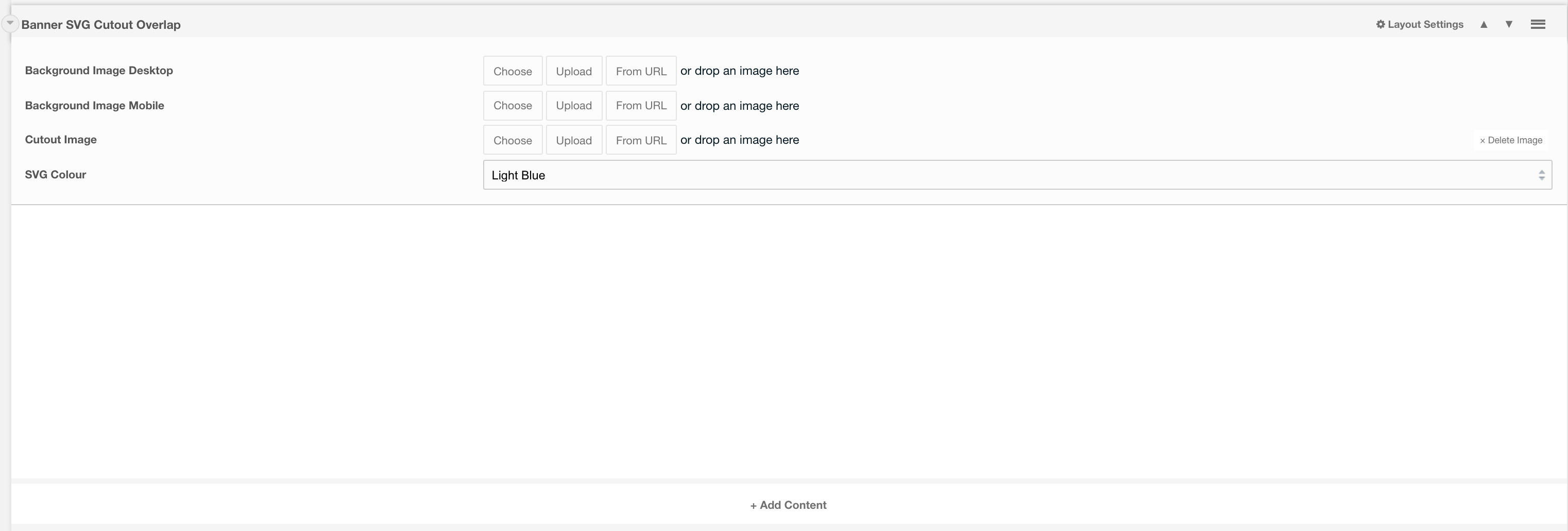
Layout Options
Background Image Desktop: The main image to fit the whole background of the layout (man in the background below).

Background Image Mobile: The image that should display on mobile. (image goes to the top of the layout, see image below ).

Cutout Image: If a cutout image is supplied then this will appear on tablet devices upwards. Should be in a .png format.
SVG Colour: The colour that you would like the SVG to be Default. to Light Blue.
Settings are available by hovering over the field and clicking the cog in the top right
Settings
Padding Top: Padding top for the layout. Default to 45px.
Padding Bottom: Padding bottom for the layout. Default to 45px
Margin Top: Margin top for the layout. Default to 60px
Margin Bottom: Margin bottom for the layout. Default to 0px
Negative Margin: Ability to offset layout margin. Default to 0px